 Metwith
Your card, on your wrist.
Your hands are full at a stand. Raise your wrist and your QR code fills the screen, ready to be scanned. Your iPhone sends it straight to your Watch, with no server in between.
Download on the App StoreFree with Metwith on your iPhone. No account.
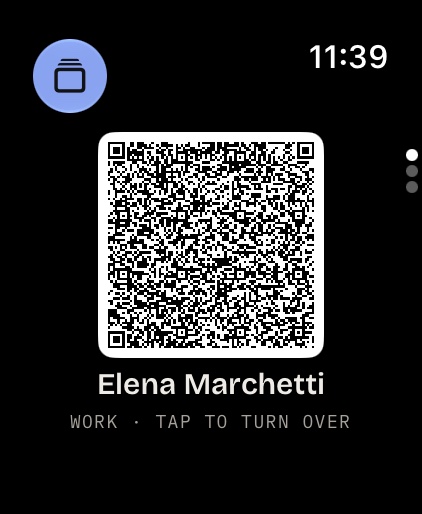
A QR code on your wrist
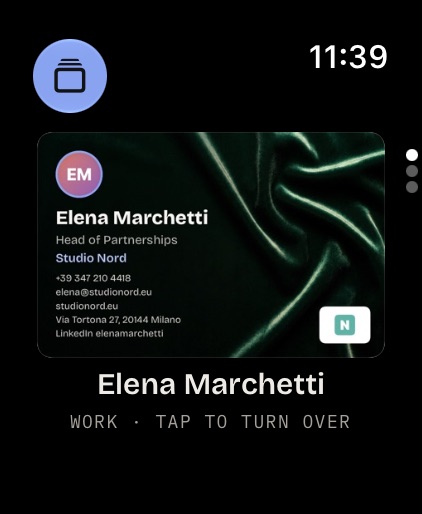
The first thing Metwith shows on your Watch is your QR code, big enough to scan across a stand. Tap it and the card turns over to show your details.
- A complication on your watch face that opens your QR code
- A Smart Stack widget that does the same
- The code holds what your iPhone's holds: your contact, or your card's link once it's online
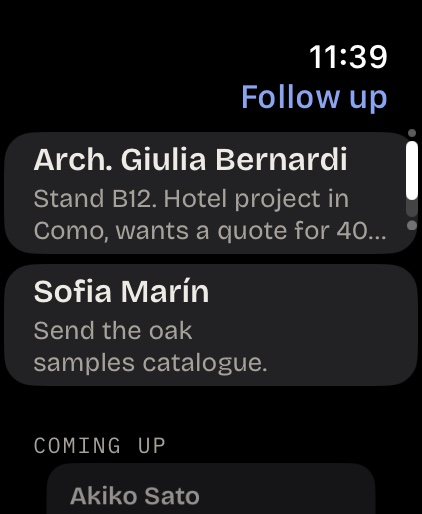
Who to answer today
Your follow-ups for today, with what you talked about, and the week ahead. Mark one done on your wrist and your iPhone knows.
- What you noted at the stand, under each name
- Followed up on the Watch marks it done on your iPhone too
- The week ahead, so nobody waits too long
The people you just met
Everyone from today's event, as their cards, with Call and Message. For when someone waves across the hall and the name won't come.
- Their card as you scanned it, redrawn for the Watch
- Call or message them from your wrist

Ready in three steps
1 · Install Metwith
The Watch app comes with the iPhone app. If it isn't on your Watch, open the Watch app on your iPhone and install Metwith from Available Apps.
2 · Make your card
Open Metwith on your iPhone with your card made. Your iPhone sends it to your Watch.
3 · Add the complication
Touch and hold your watch face, tap Edit, and choose Your card from Metwith. It opens your QR code.
Questions
Does the Watch app cost extra?
No. Metwith on Apple Watch is free, with or without Pro.
Can I scan cards with my Watch?
No, the Watch has no camera. Scan on your iPhone and the people arrive on your Watch.
Does it need my iPhone nearby?
Only for updates. The Watch keeps the latest your iPhone sent, so your QR code is there when your iPhone is in your bag.
Which Apple Watch do I need?
One with watchOS 10 or later, paired with an iPhone running Metwith.
Read on
Your QR code, a wrist away
Free on iPhone and iPad with iOS 17 or later, and on Apple Watch.
Download on the App Store